How to find your in-game UID
Your UID is what logs you into this site — no password needed. Here's where to find it in Last Beacon: Survival.
Step 1 — Open your full Survivor Profile
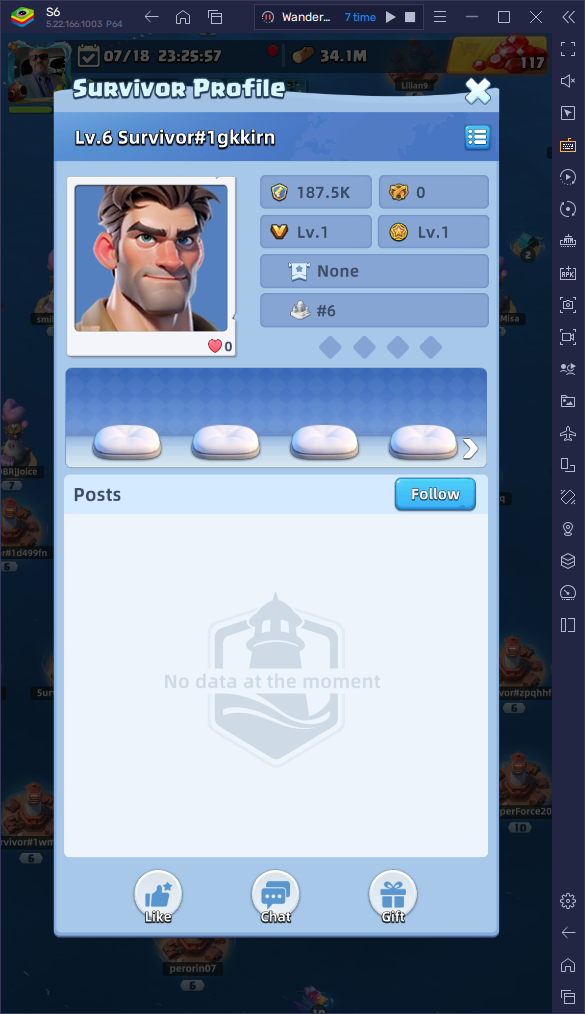
Tap your own banner in-game to open this card, then tap the small list icon in the top-right corner of the name bar.
Step 2 — Copy your ID
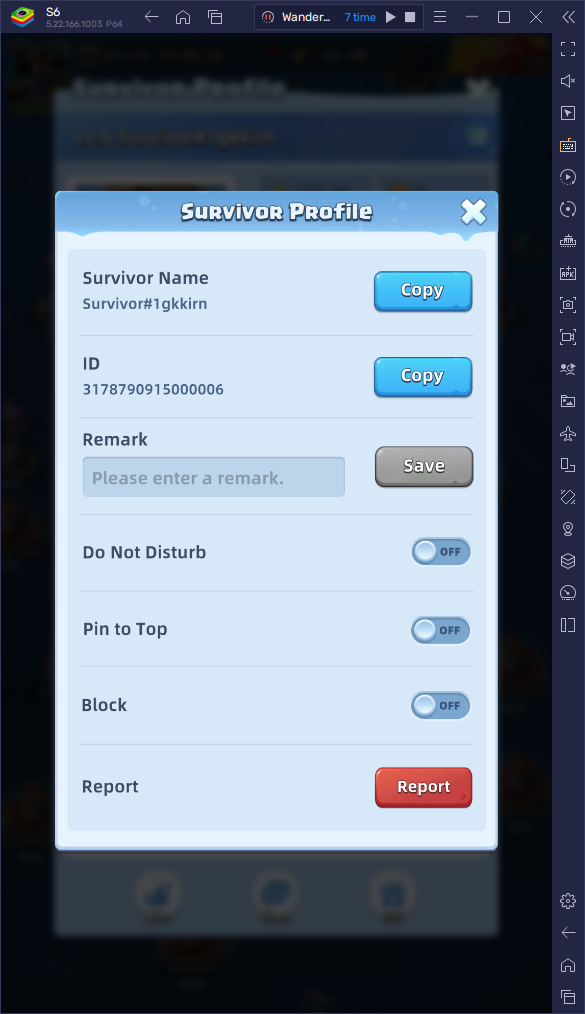
The number under ID is your UID — tap Copy, then paste it into the box on the login page.